Does Virtual RAM Really Work on Android? An Honest Review
Learn what RAM Plus, Memory Extension and swap really do on Android, how to enable the built-in setting, and whether no-root RAM apps improve performance.
 Nontuff Editorial8 min read · Updated September 2026
Virtual RAM is a real memory-management feature, but the number shown beside it is not extra physical RAM. It borrows storage or uses compressed memory to give Android more room when multitasking. That can reduce some background-app reloads, but it is much slower than the RAM soldered inside your phone.
How to turn on virtual RAM
The exact path changes by phone brand and Android skin. The screenshots below show a Tecno phone using MemFusion. On another device, search for RAM Plus, Memory Extension, RAM Expansion, Extended RAM or Virtual RAM.
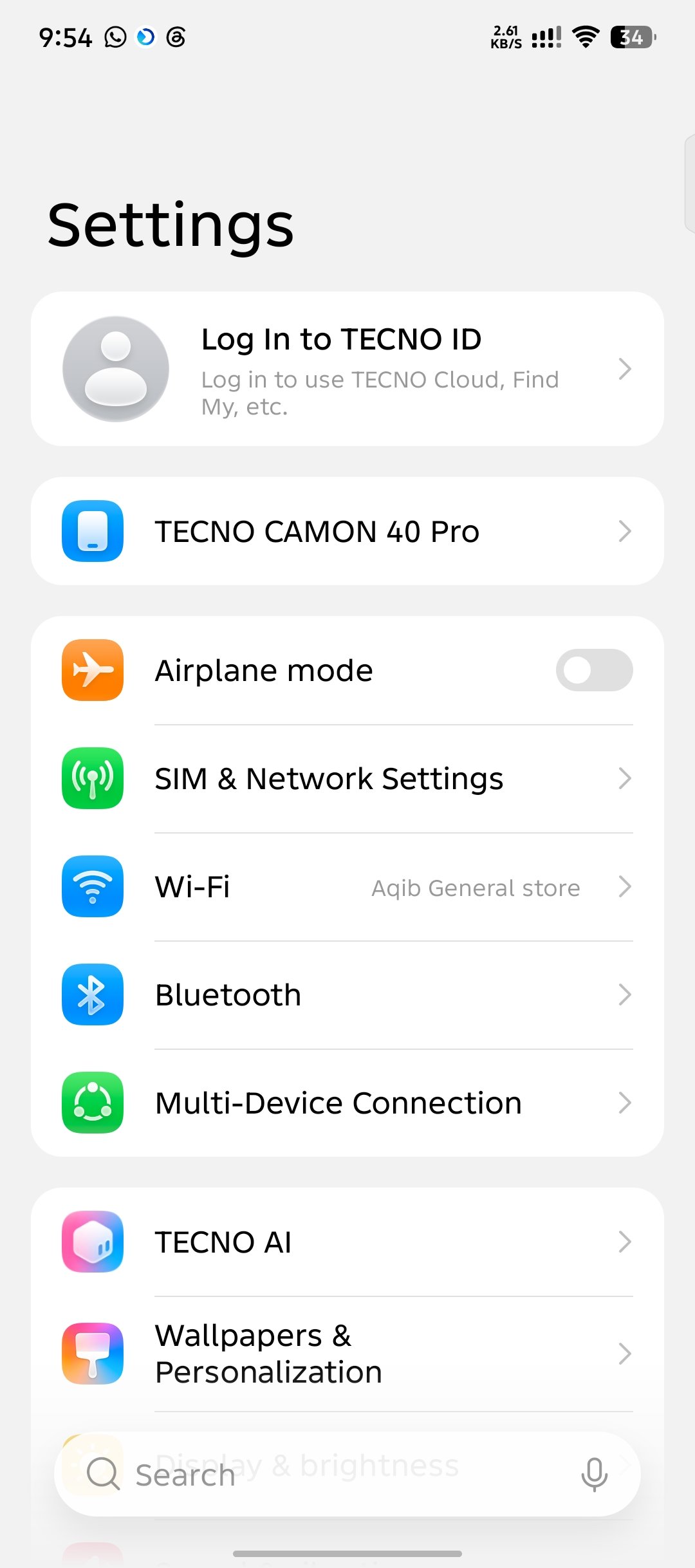 01 Full view
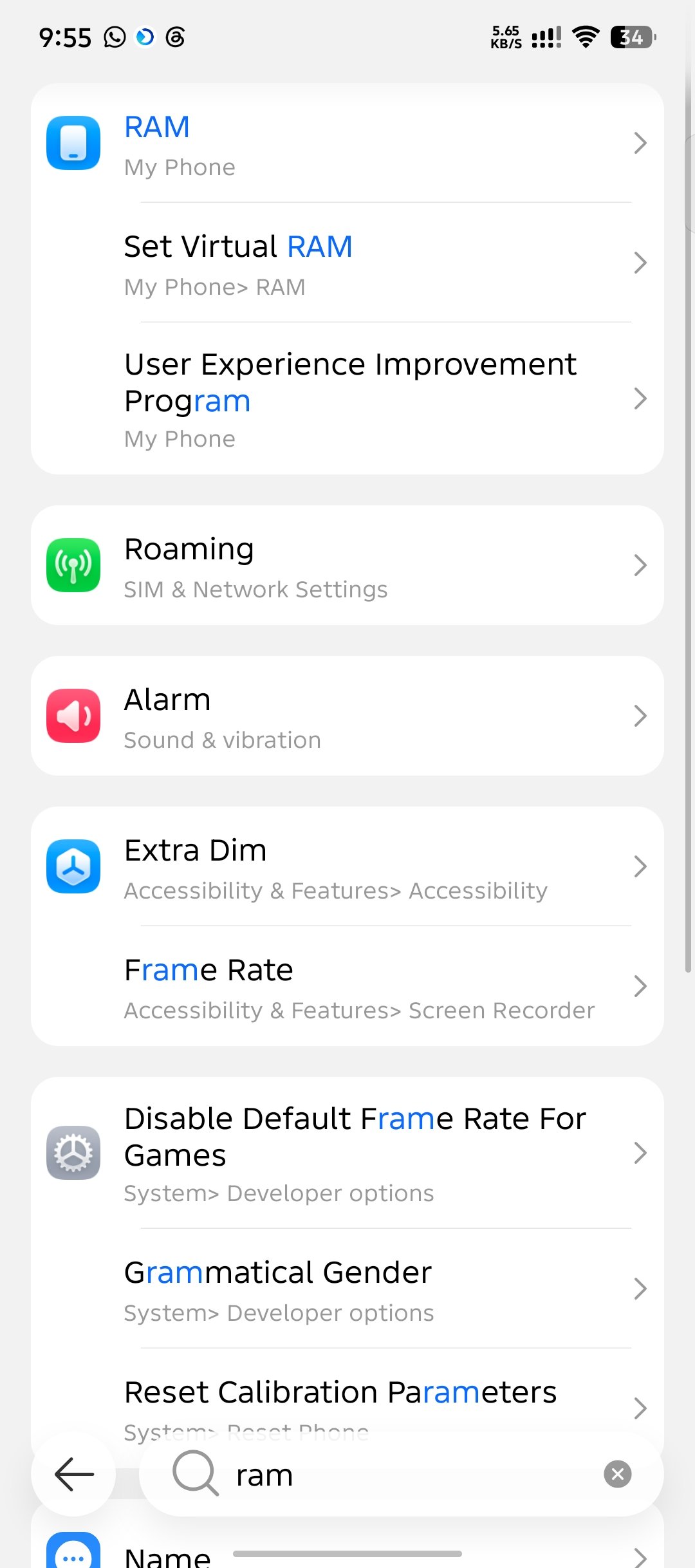 02 Full view
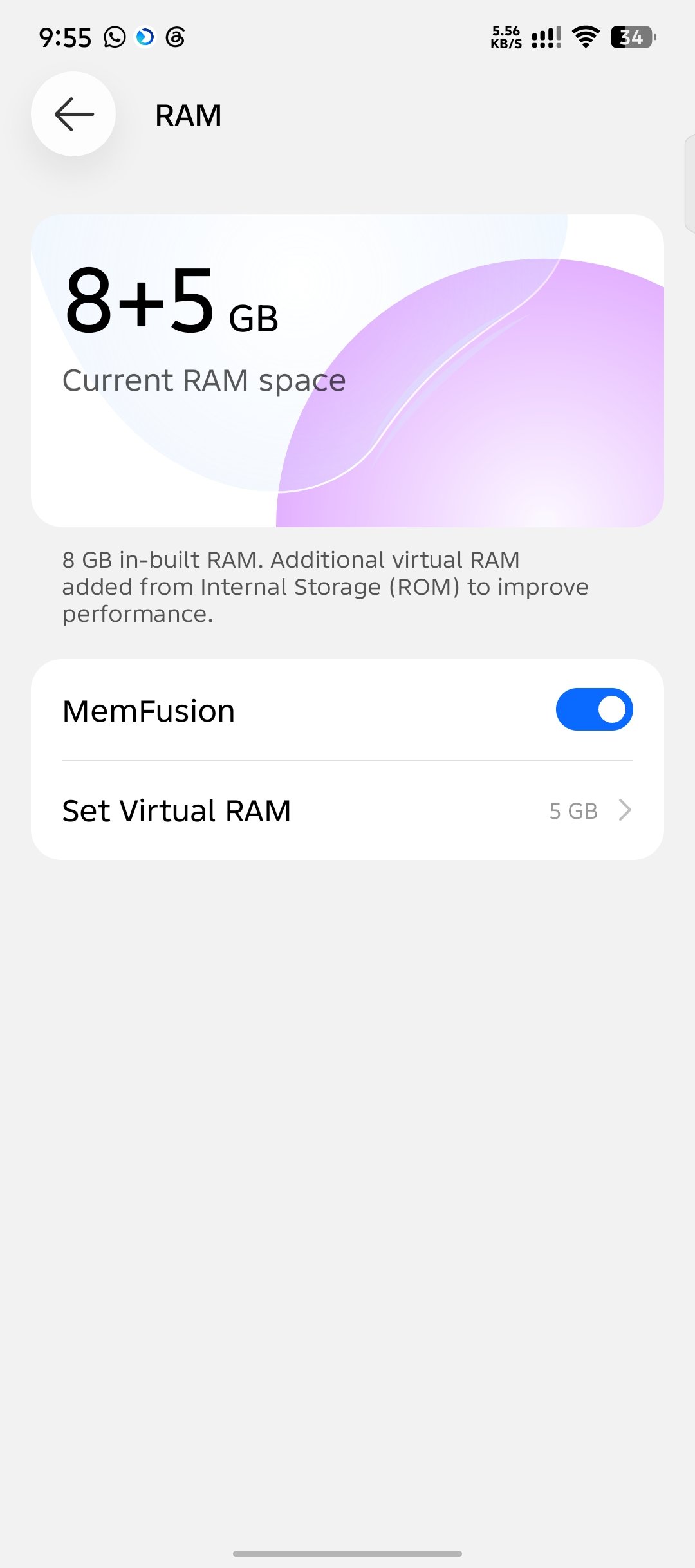 03 Full view
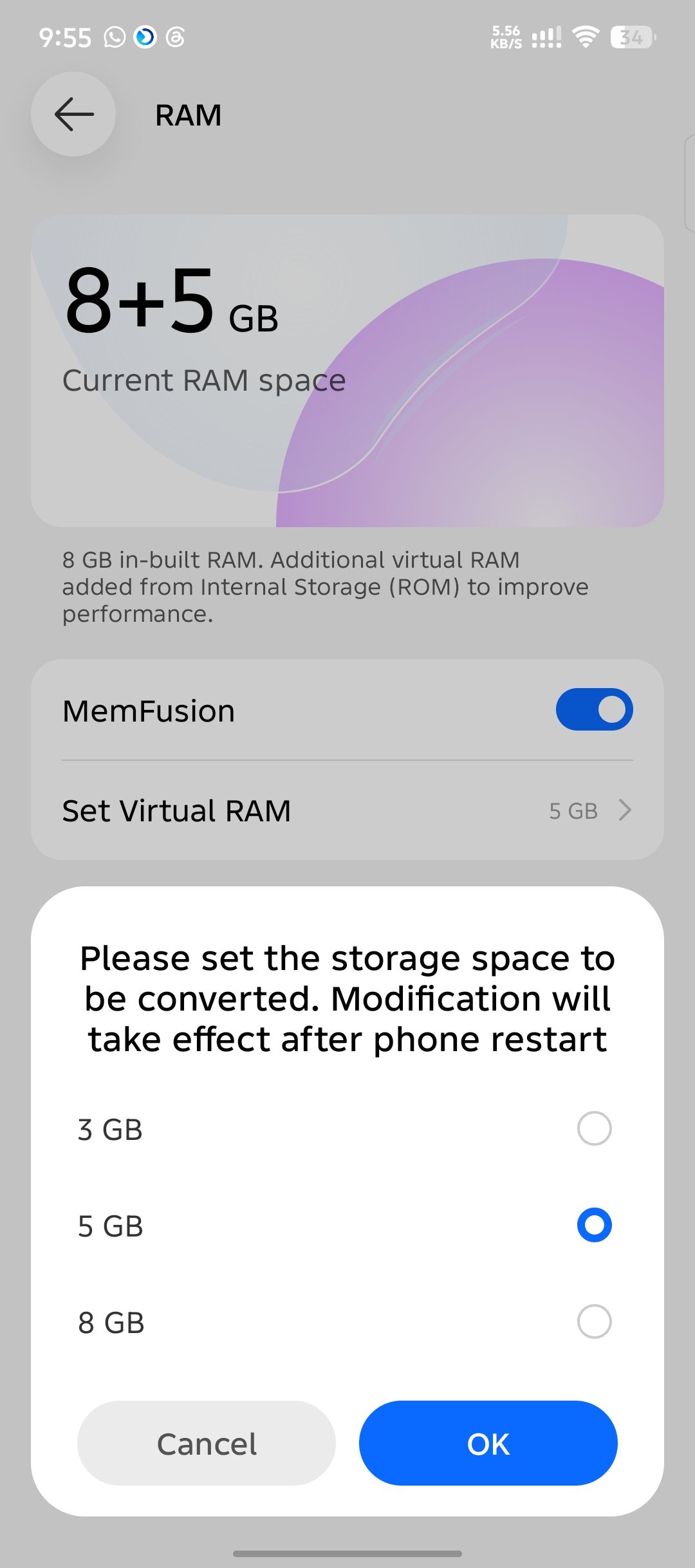 04 Full view
What does the setting actually increase?
It increases the space Android can use for memory management; it does not install new memory chips. If the phone contains 4 GB of physical RAM, it still contains 4 GB after enabling a “+4 GB” option.
Fast working memory
Hardware built into the phone. Apps actively use it for code, graphics and data.
Overflow space
Compressed pages or storage-backed swap can hold less-active data when real RAM is under pressure.
Better app retention, sometimes
It may reduce app reloads during heavy multitasking, but storage access is slower and can add latency.
Android already uses memory-reclaim systems such as zRAM and a low-memory killer. When pressure rises, Android can compress less-active memory or close lower-priority background processes. A manufacturer setting changes how much extra headroom the device is willing to use; the outcome depends on the phone's software, storage speed and workload.
Names used by Android manufacturers
Manufacturers can rename the feature and may change it between models or software versions. These are common labels, not guarantees that every phone from the brand includes the option.
Can a third-party app add more RAM?
No app can add physical RAM. Some utilities claim to create a swap file on supported devices, while many “RAM booster” apps merely close background processes. Closing apps can free memory briefly, but it can also make Android reload them later and is not the same as expanding hardware.
SWAP - No ROOT by AllaKore LTDA
Its current Google Play listing says it creates a SWAP file without root and shows 10M+ downloads with a 4.6-star headline rating. Those store numbers can change, and a listing claim does not guarantee the same result on every Android version or phone.
If a no-root swap utility works on your device, it is still using storage as slower overflow space. It may help keep more background apps available, but it will not provide a “4 GB physical-RAM equivalent” FPS increase. Review the app's permissions, data-safety disclosure, recent reviews and storage impact before installing it.
Should you enable RAM Plus or Memory Extension?
Try it when
- Background apps reload too often.
- Your phone has enough free internal storage.
- The option is built into Settings.
- You are willing to compare performance before and after.
Keep expectations low when
- You want higher game FPS or faster graphics.
- Your internal storage is nearly full or slow.
- The phone already has plenty of physical RAM.
- The only option is an unknown “booster” app.
Start with the smallest or default built-in amount. Use the phone normally for several days and notice whether apps remain open longer, whether switching feels slower, and whether storage usage changes. If there is no benefit—or the phone feels less responsive—turn the feature down or off.
Editorial note: This guide was reviewed in September 2026 using Android Developers documentation and the current Google Play listing for SWAP - No ROOT. Manufacturer labels and app-store statistics can change.